Skip to content

See which goal has stopped moving.

Outstanding Today is a task manager. Write down a goal, then the next step toward it. When a goal has no next step left, the app marks it.

Open the web app App Store · Coming soonGoogle Play · Coming soon

Free for up to ten active goals. No card, and no trial that runs out.

The problem

The list is full, and one goal has not moved in two months.

You cross things off every week. And one of the four or five goals you actually care about has not moved in months, because nothing on the list points at it.

The goal is not stuck because you are lazy. It is stuck because nobody has written down its next step. A plain list cannot show you a missing step. It can only show you the steps you have.

How it works

Write down a goal, then the next step toward it.

  1. 1

    Write down a goal.

    A goal is one sentence about an outcome, for example "Hire a second engineer". Goals are grouped by area, which the app calls an epic: Work, Home, Health.

  2. 2

    Write down the next step.

    Under each goal, add the next action you can take. Only the title is required. You can also set the effort, the place and the device, and filter by them later.

  3. 3

    Open the Today view and start.

    Today lists what is due and what is in progress, overdue first. Below that is everything ready to start. Tap one to plan it for today.

What you get

What the app does

See which goals have no next step.

Every goal shows how many work items are done and how many are ready to start. A goal with nothing ready is marked "No ready work", so you find it in the list instead of noticing months later.
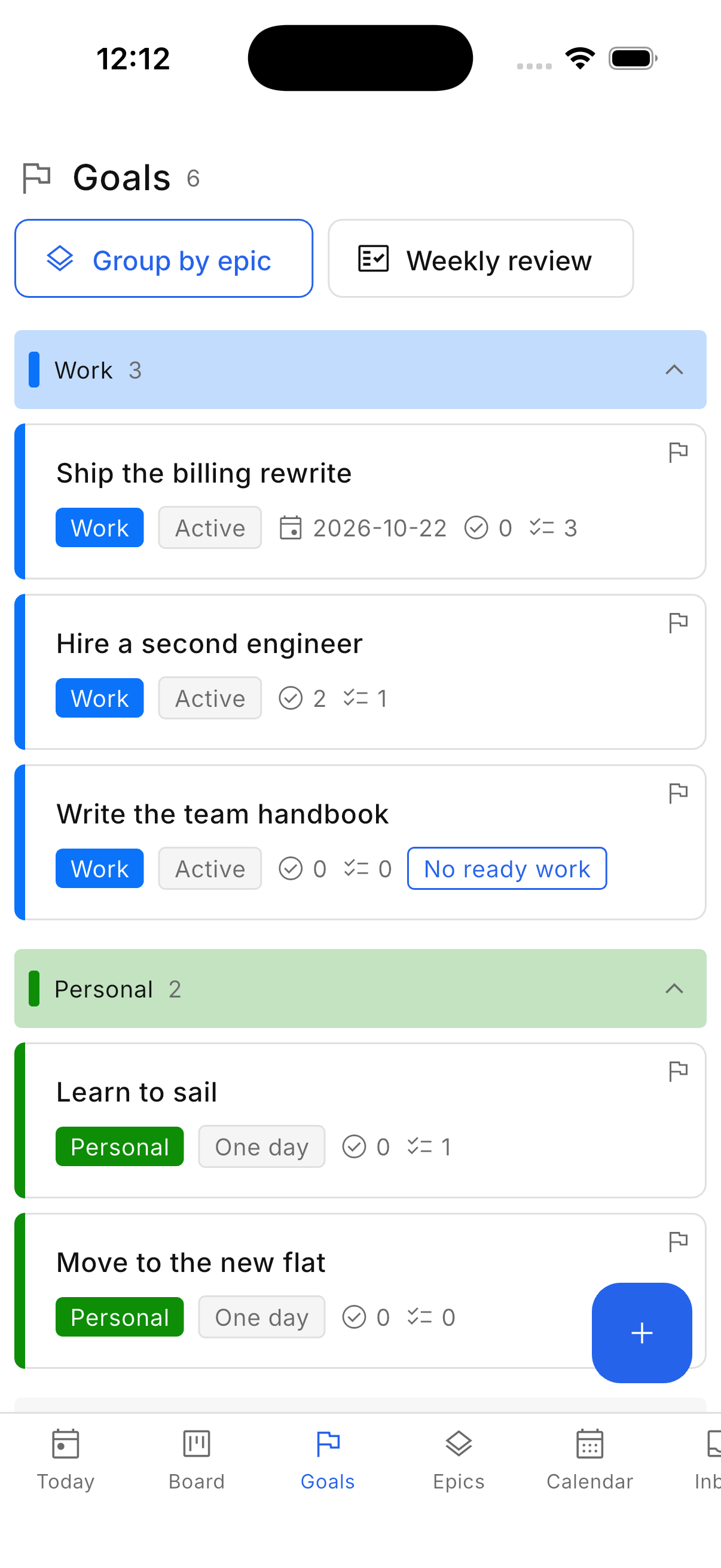
The goals list, with one goal marked as having no next step

Add a task without deciding where it goes.

One button on every screen opens the same form. Only the title is required. A task with no goal, or a goal with no epic, waits in the inbox until you assign one.
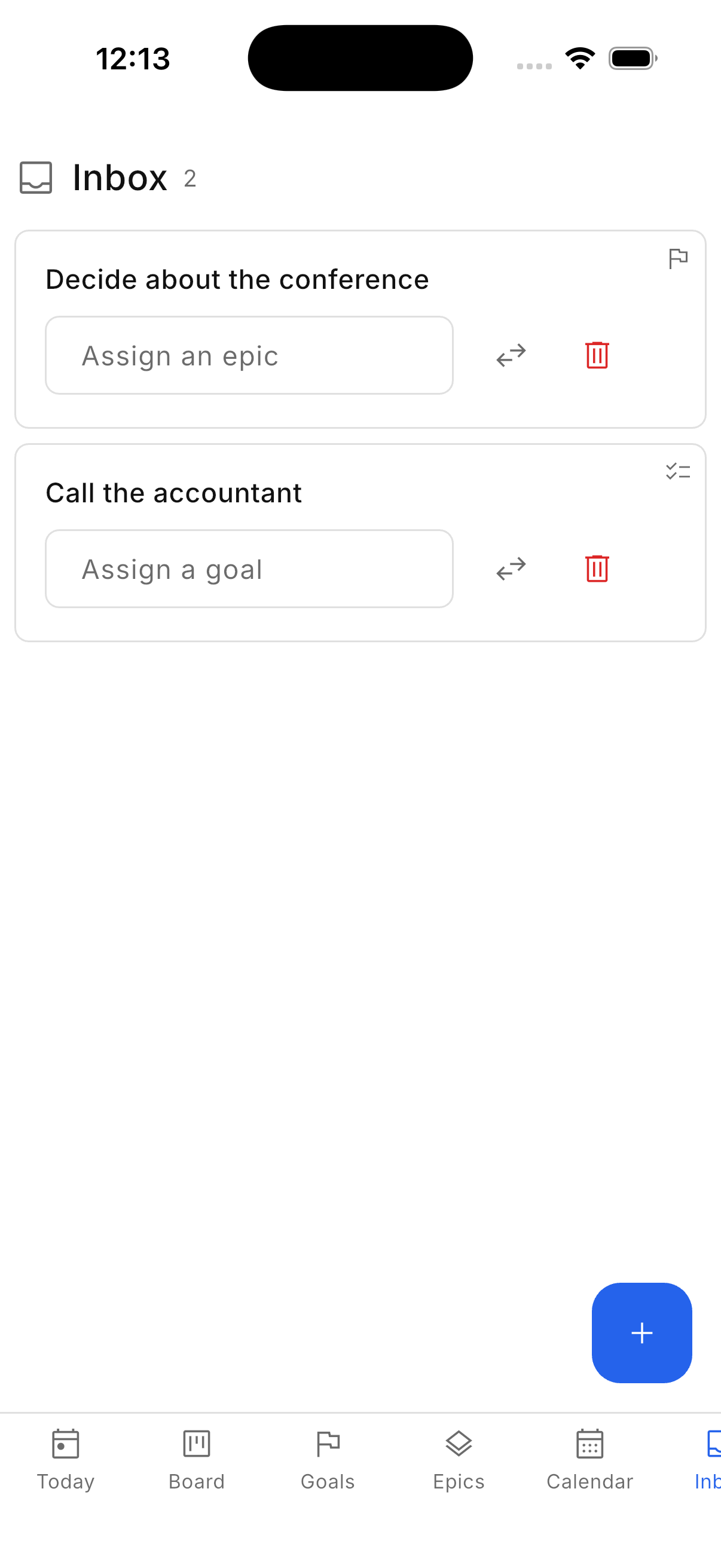
The inbox, holding a goal and a step that have not been given a place yet

The board shows only work for active goals.

Three columns: ready, doing, done. Work for a paused goal is not on the board and does not count toward your limit. Nothing is deleted when you pause a goal.
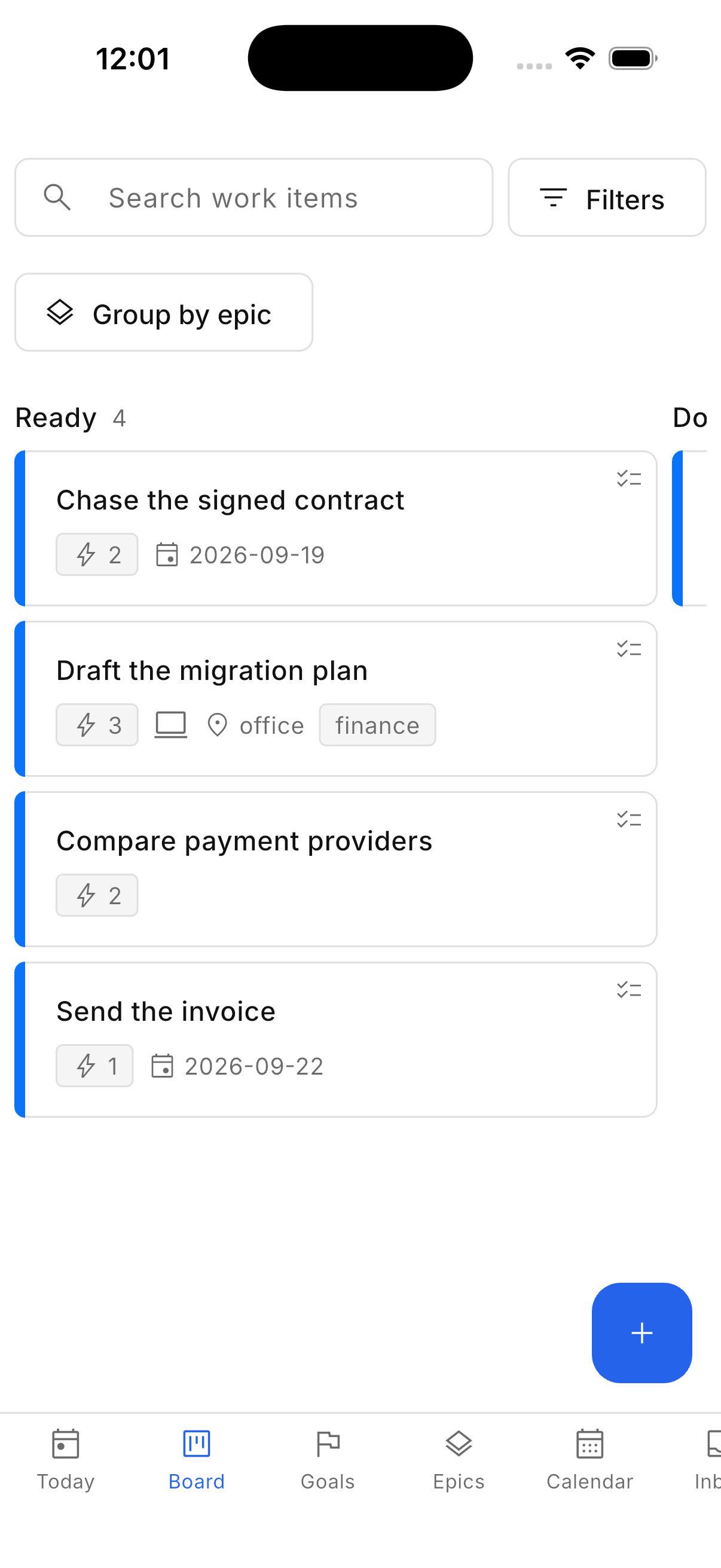
The board, showing the ready column of steps

Assign due dates to goals and work items.

The calendar shows goals and work items on the day they are due, by month or by week. A list beside it holds everything without a due date, so you can assign dates to all of them from one place.
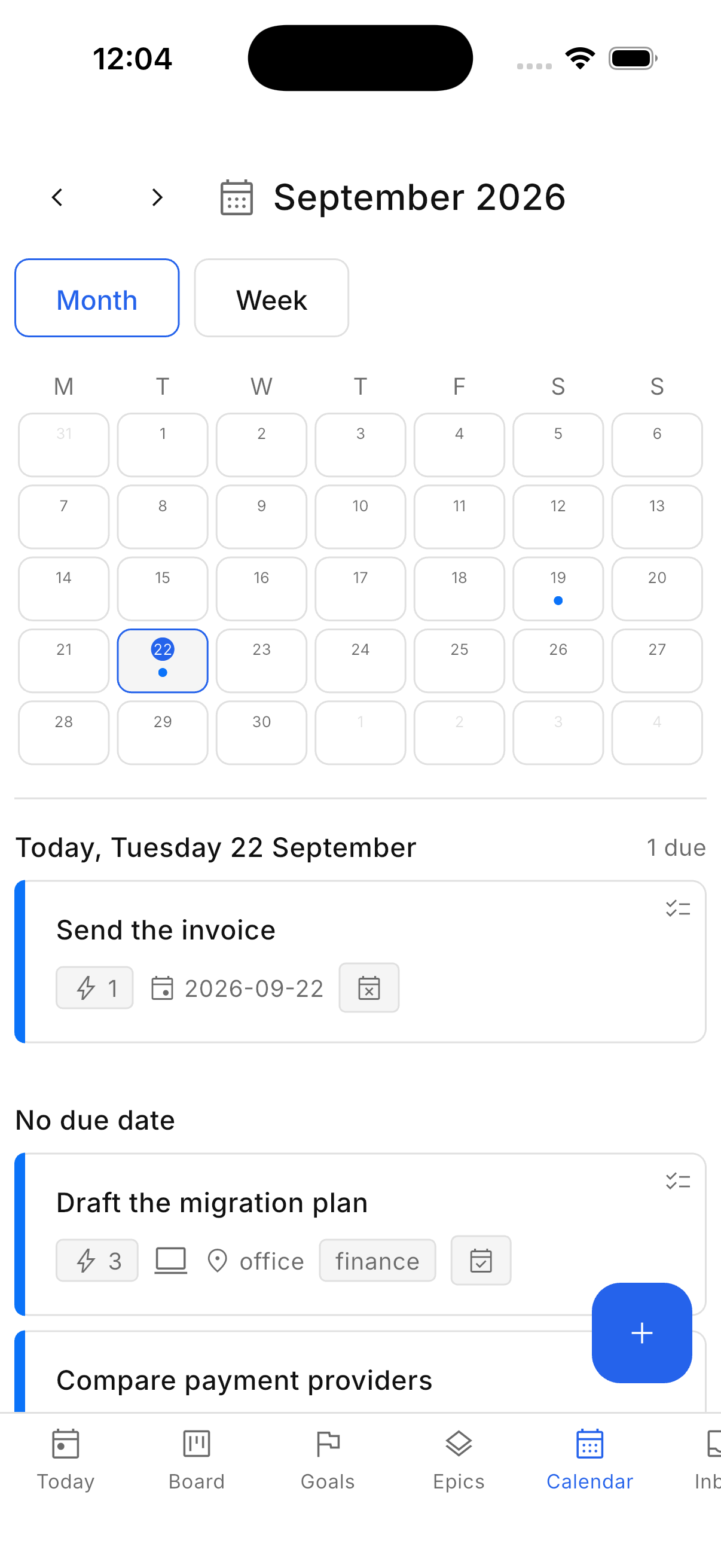
The calendar, with the days that have something due marked

Review every goal once a week.

Review mode goes through every goal, epic by epic, and asks three questions. Do you still want this outcome? Is there a next step? Are you still pursuing it? You can pause a goal at any point and keep all its work.
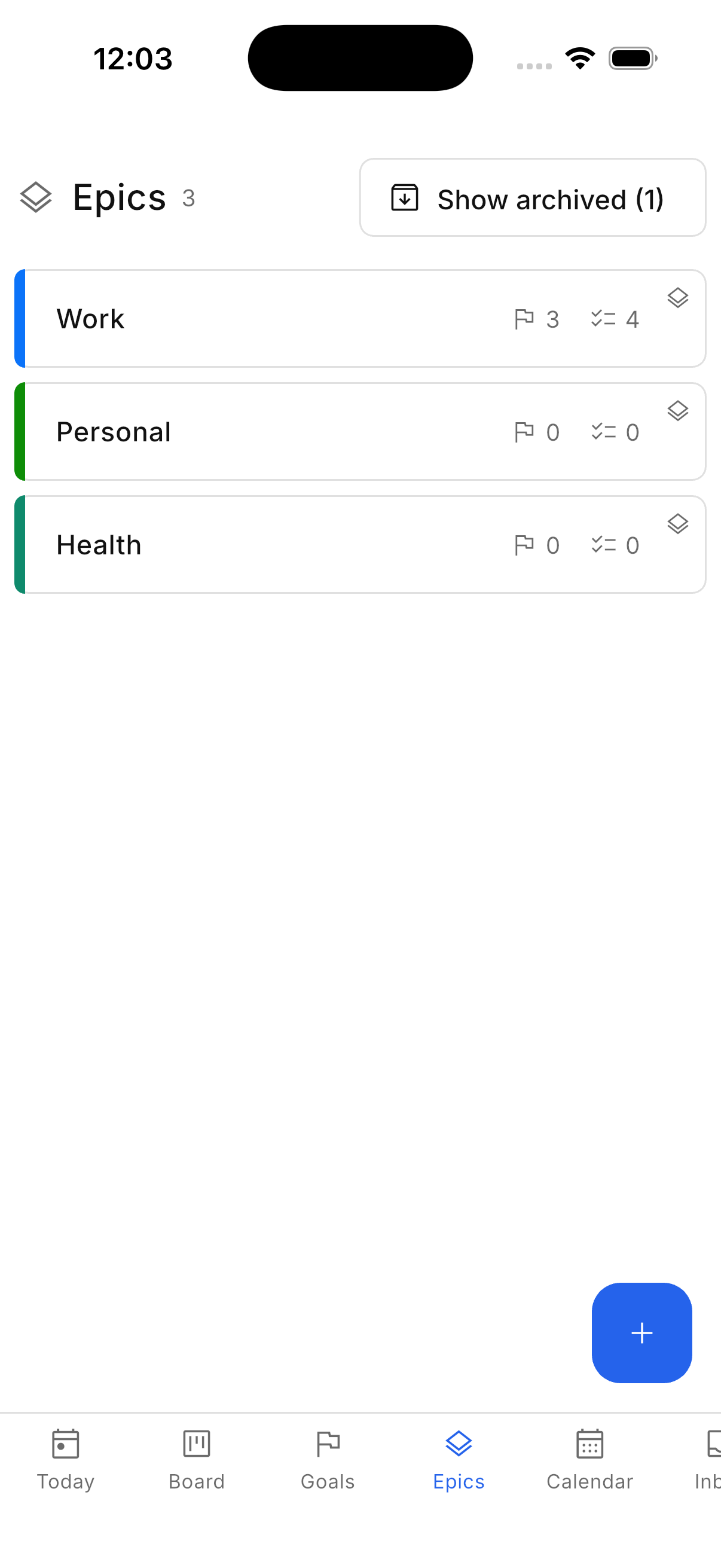
The areas view, each area showing how many goals are active and how many steps are ready
Filter work by effort, place and device
Every work item carries an effort from one to five, a place and a device. Filter the board to what you can do where you are, with the time you have.
Reminders on your phone
A work item with a due date can have a reminder time. Your phone shows the notification at that time. No network is needed.
Undo after archive, delete or a moved date
Each of these shows an undo bar for a few seconds before the change is final.
Web, Android and iPhone
One account, the same features on every platform. The layout adapts to the screen.

Limits

What the app does not do

No team features.
It is for one person. There is no sharing, no assigning and no shared boards.
No streaks, badges or confetti.
The app does not praise you or nag you. It shows what is open.
No AI.
You decide the next step yourself. The app does not suggest one.
No notes or documents.
The app holds epics, goals and work items. It is not a place to write notes.

Pricing

Free for up to ten active goals. Pro is 10 dollars a year.

Free

$0

  • Up to ten active goals at once.
  • Unlimited steps, areas and paused goals.
  • Web, Android and iPhone.
  • Invite a friend who signs up and get one more active goal, up to fifteen.

Pro

$10 a year

  • No limit on active goals.
  • One plan covers every device on the same Google account.
  • Pro cannot be bought yet. Until it can, Free with invitations is the whole product.

Why there is a limit: ten active goals is more than one person can work on at the same time. You can pause a goal at any point, and a paused goal keeps all its work.

Questions

Common questions

What counts as an active goal?
A goal you are pursuing right now. A paused goal keeps all its work items, leaves the board, and does not count. You can resume it at any time.
What happens when I reach the limit?
The app says so and will not add an eleventh active goal until you pause one. Nothing is hidden, moved or deleted.
Do I need to know GTD?
No. If you do, you will recognise it: capture, clarify, next actions, a weekly review. If you do not, you will not notice it is there.
Does one account work everywhere?
Yes. Sign in with the same Google account on the web, Android and iPhone and you see the same thing on each.
Where is my data, and can I delete it?
It is stored under your own account and only you can read it. Delete the account from settings and everything goes with it.
How do reminders work?
A work item with a due date can have a reminder time, and your phone shows the notification then. If notifications are off or the phone is off, it will not arrive.

Add your first goal and its next step.

Sign in with Google, add a goal, and add the next step toward it.

Open the web app App Store · Coming soonGoogle Play · Coming soon